
Bid Reports in Word
Overview
Word document (DOCX) exports provide an editable document format containing all your bid information, perfect for further editing, collaboration, and integration with existing Word templates. DOCX files are fully editable in Microsoft Word, Google Docs, and LibreOffice.
Prerequisites
- Bid Bot account
- Access to a bid
- Reports generated (to include report data)
- Microsoft Word, Google Docs, or compatible word processor
How to Export
From Bid Viewer
- Navigate to Bid Library
- Select bid
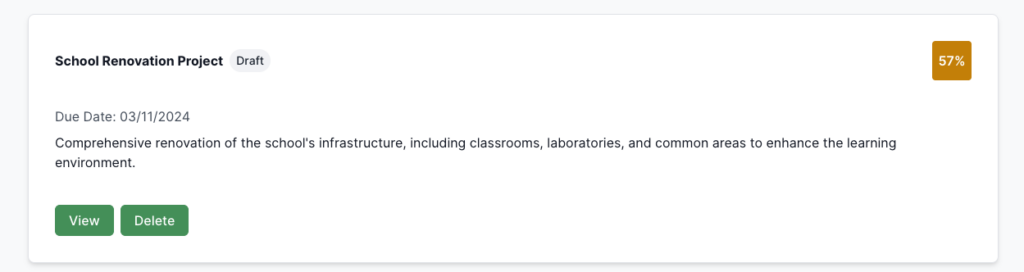
- Ensure reports generated (if needed)
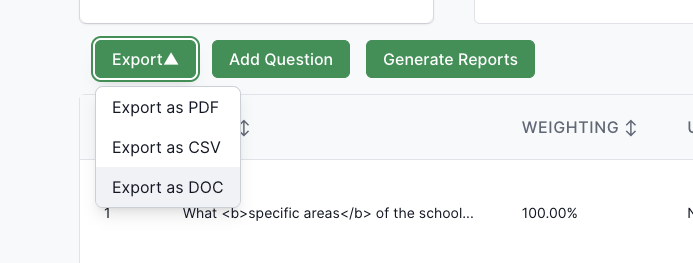
- Click Export dropdown
- Choose Export as DOC
- Wait for generation and download
File Naming
- Format:
bid-[BidName]-[Date].docx - Example:
bid-My-Project-Bid-15/01/2024.docx - Note: Date format DD/MM/YYYY, extension
.docx(Office Open XML)
What It Contains
Bid Header Section
Formatted header:
- Bid Name
- Bid Description: Full description
- Bid Information Table: Status, tags, dates, scores, contributors, overall score
- Metadata: Additional metadata
- Report Comments: adds comments to the word document based on the findsing from the reports you generated
Questions Section
Each question presented with:
- Question Number: Clear numbering (Q1, Q2, etc.) as Heading 2
- Question Title: Bold heading
- Question Content: Formatted text
- Answer Section: Complete answer with formatting preserved, paragraph structure, line breaks, lists
- Question Metadata: Word count, weighting, score
Troubleshooting
Won’t open: Ensure Word 2007+, re-export if corrupted, try Google Docs or LibreOffice, check .docx extension
Missing content: Ensure reports generated, verify complete data, check permissions, export latest version
Editing problems: Document not protected, check file permissions, ensure not read-only, try different word processor
Compatibility: Features may vary by Word version, try Google Docs or LibreOffice, DOCX is standard format, formatting may change when converted