
Have a Question?
Bid Reports in Spreadsheet
Overview
CSV exports provide structured data for analysis, spreadsheets, and data processing. Import bid data into Excel, Google Sheets, or data analysis tools.
Prerequisites
- Bid Bot account
- Access to a bid
- Reports generated (to include report data)
How to Export
From Bid Viewer
- Navigate to Bid Library
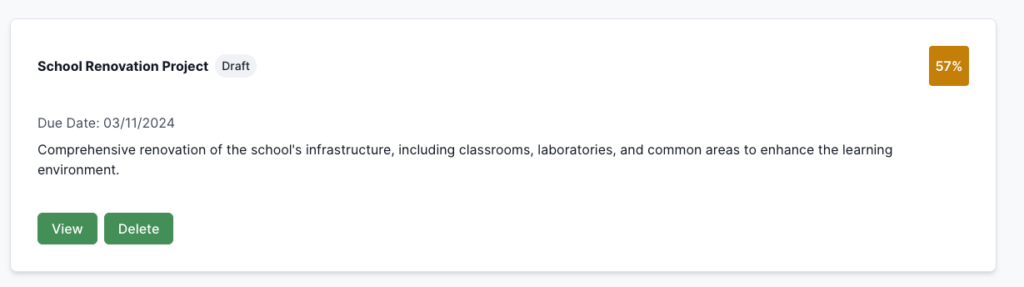
- Select the bid
- Ensure reports are generated (if needed)
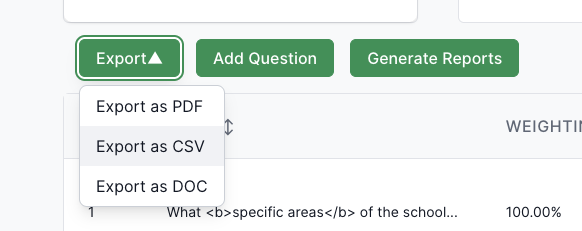
- Click Export dropdown
- Choose Export as CSV
File Naming
- Format:
bid-[BidName]-[Date].csv - Example:
bid-My-Project-Bid-15/01/2024.csv - Note: Date format DD/MM/YYYY
What It Contains
Bid Information
- Bid Name, Description
- Status, Tags
- Due Date, Created Date
- Bid Score
Question Data
Per question:
- Question Number, Name, Text
- Answer Text, Word Count
- Question Weighting (0-1)
- Question Score
- Created/Updated dates
Report Data (if generated)
- Ingredients: Category names, scores, averages, coverage
- Requirements: Names, coverage status, percentages, breakdown
- Personas: Names, roles, individual/weighted scores, alignment
- Marking Scheme: Criteria names, scores, categories, overall score
- Overall: Aggregated scores, weightings, combined calculations
Additional Information
- Report weightings
- Contributors
- Question order
- Version details
Use Cases
- Data Analysis: Import to Excel/Sheets, statistical analysis, pivot tables, custom charts
- Comparison: Compare bids, track performance, trends, score comparisons
- Trends: Track over time, monitor improvement, historical analysis, pattern identification
- Bulk Processing: Batch operations, integrations, automated reports, data migration
- Custom Reporting: Custom reports, summaries, dashboards, share structured data
File Format Details
Structure
- Header row with column names
- Bid information rows
- Question rows (one per question)
- Report data rows (if generated)
Column Organisation
- Bid-level information first
- Question information grouped
- Report data follows
- Additional metadata at end
Troubleshooting
- Won’t open: Try UTF-8 encoding, different application, check
.csvextension, re-export if corrupted - Formatting issues: Format dates manually, ensure numbers recognized, verify UTF-8, understand quoted fields
- Missing data: Ensure reports generated, some fields may be empty, verify permissions
- Large file performance: Use filters, export subsets, may need more memory
- Import issues: Use comma delimiter, verify headers, specify data types, use UTF-8