-
Onboarding
-
I am a bid writer
- How do I create, edit and add requirements on the bid response page?
- How to upload, review and store a past bid
- Getting Started with Bid Bot
- Bidding Assistant
- How to improve a single response
- Breaking down a questions keywords - evidence & Experience episode
- How to answer plan and structure bid responses
- How to use Bid Bot to write a response from scratch
- Bid Review
- Bid Factory
-
I am a bid manager
- Bid review (Set-up) – how to set-up your bid
- How do I create, edit and add requirements on the bid response page?
- How to upload, review and store a past bid
- How to upload a set of draft responses
- Understanding Your Bid Performance
- Understanding Pay as you Go Usage and Costs
- Getting Started with Bid Bot
- Managing Organisations and Users
- Breaking down a questions keywords - evidence & Experience episode
- Viewing Your Bid
- How to answer plan and structure bid responses
- Bid Qualification
- Tender Finder
-
I am a bid reviewer
- How do I create, edit and add requirements on the bid response page?
- How to upload, review and store a past bid
- Report Generation
- Understanding Your Bid Performance
- Managing Client Feedback
- Bid Reports in PDF
- Bid Reports in Spreadsheet
- Bid Reports in Word
- Getting Started with Bid Bot
- Setting Question Importance
- Creating and Managing Ingredients (Best Practise)
- Understanding Personas
- Understanding Requirements
- Viewing Your Bid
- Requirements Review Criteria
- Bid Review
- Show Remaining Articles (1) Collapse Articles
-
I am setting up my bid
- Bid review (Set-up) – how to set-up your bid
- How do I create, edit and add requirements on the bid response page?
- How to upload, review and store a past bid
- How to upload a set of draft responses
- Working with Individual Questions
- Breaking down a questions keywords - evidence & Experience episode
- Viewing Your Bid
- How to use Bid Bot to write a response from scratch
- Bid Review
- Bid Factory
-
I am at past bid stage
-
I am at Draft Stage
- Bid review (Set-up) – how to set-up your bid
- How do I create, edit and add requirements on the bid response page?
- How to upload a set of draft responses
- Bidding Assistant
- Breaking down a questions keywords - evidence & Experience episode
- How to use Bid Bot to write a response from scratch
- Bid Factory
-
I am at the writing stage
- How do I create, edit and add requirements on the bid response page?
- Creating and Managing Marking Schemes
- Bidding Assistant
- How to improve a single response
- Breaking down a questions keywords - evidence & Experience episode
- How to answer plan and structure bid responses
- How to use Bid Bot to write a response from scratch
- Bid Factory
-
Post Feedback Stage
-
Bid Library
-
Profile
-
Organisation
-
Data Dashboards
-
Custom configurations
-
Bid Writing Academy
-
Answer Planning
Recent Posts
Recent Comments
- danyduchaine on Help your company shift to a digital culture
Categories
Recent Comments
Bid Factory
Bid Factory
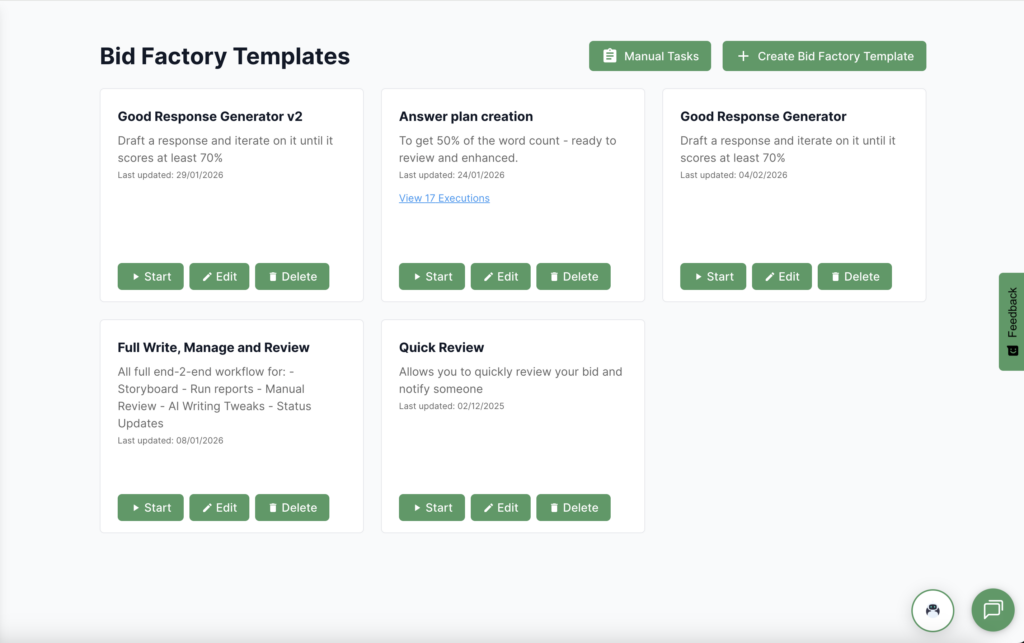
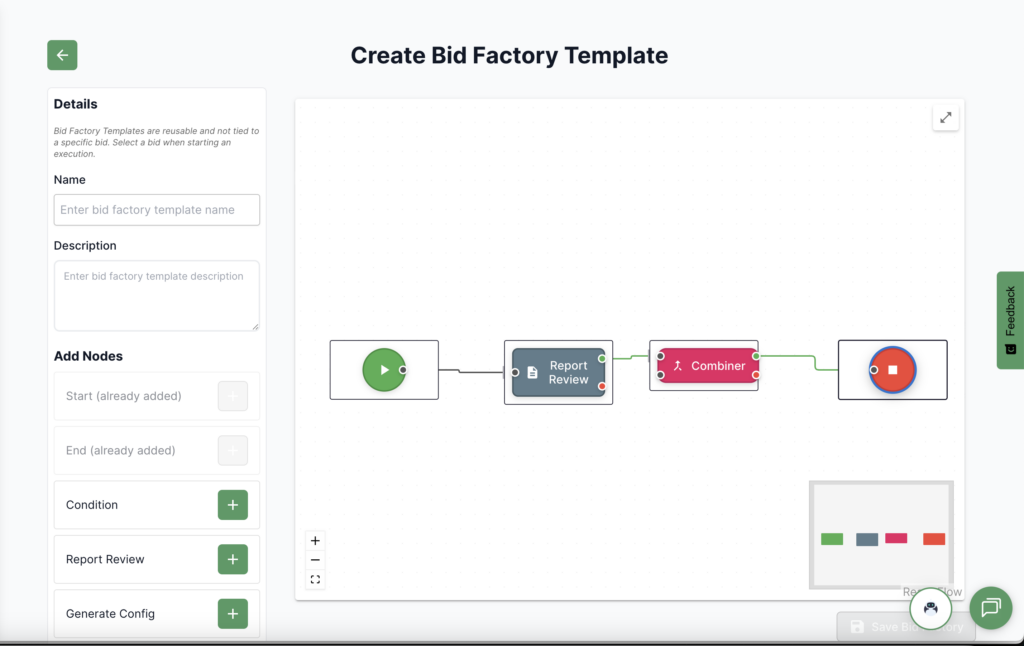
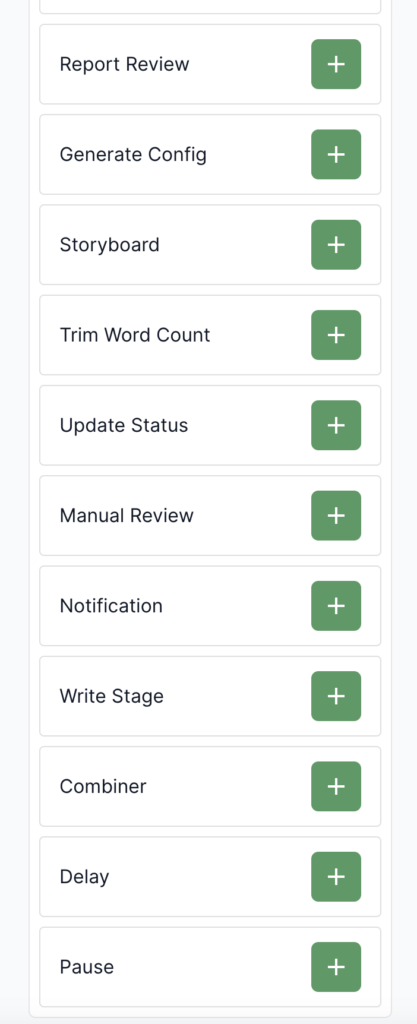
Bid Factory is a new way to write, manage, and review your bids. This product allows you to configure a workflow to how you do or want to do your bids. The Bid Factory contains nodes that can either write, manage or review your bids. By combining this into a flow, you can have your bid completed in hours rather than weeks. It’s easily auditable and collaborative. You can step in at any point to have the human take over/inspect.
How it works
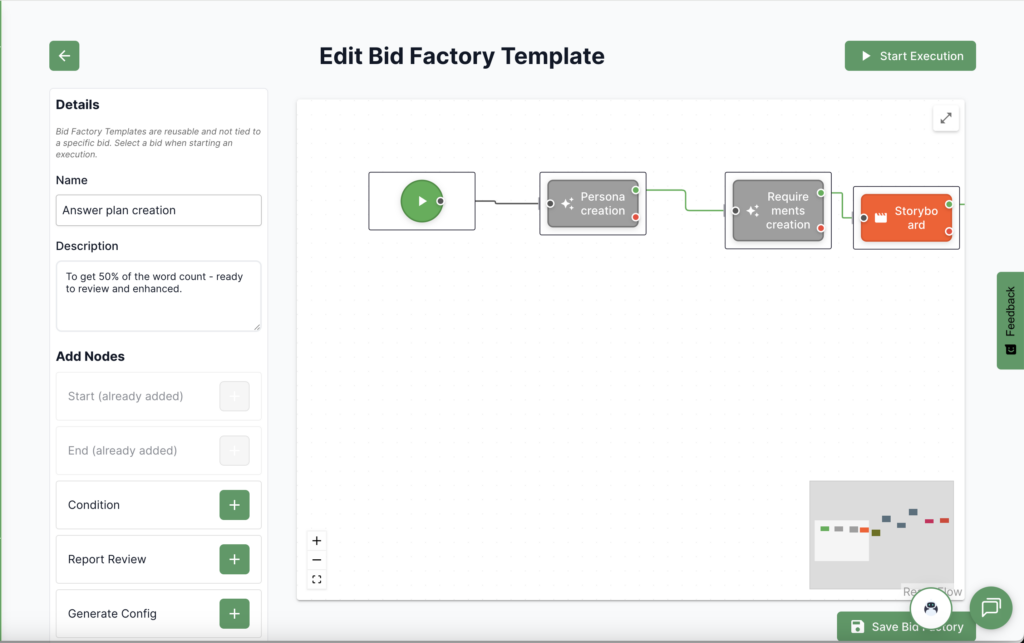
Create a workflow of nodes and connectors which represent bid tasks such as writing a storyboard, reviewing sections, and cutting down word count. In this way, you are automating bits that can be done automatically while remaining in control of the process. These workflows are reusable as well, meaning that future bids can benefit from this approach automatically.
Key Benefits
Manage your bids in a traceable and auditable way while increasing your bid speed without sacrificing quality
Bid Factory Templates
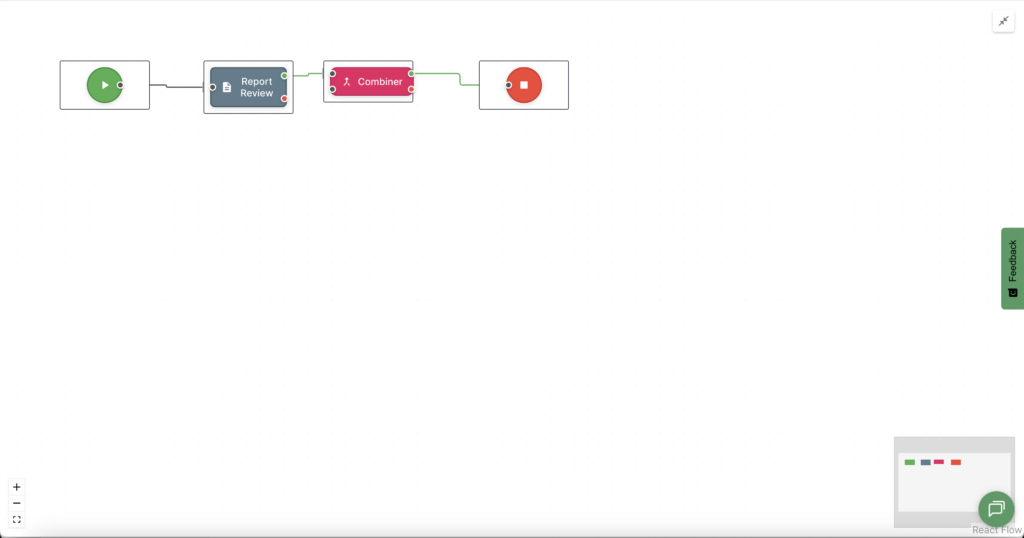
Creating a Bid Factory
Editing a Bid Factory
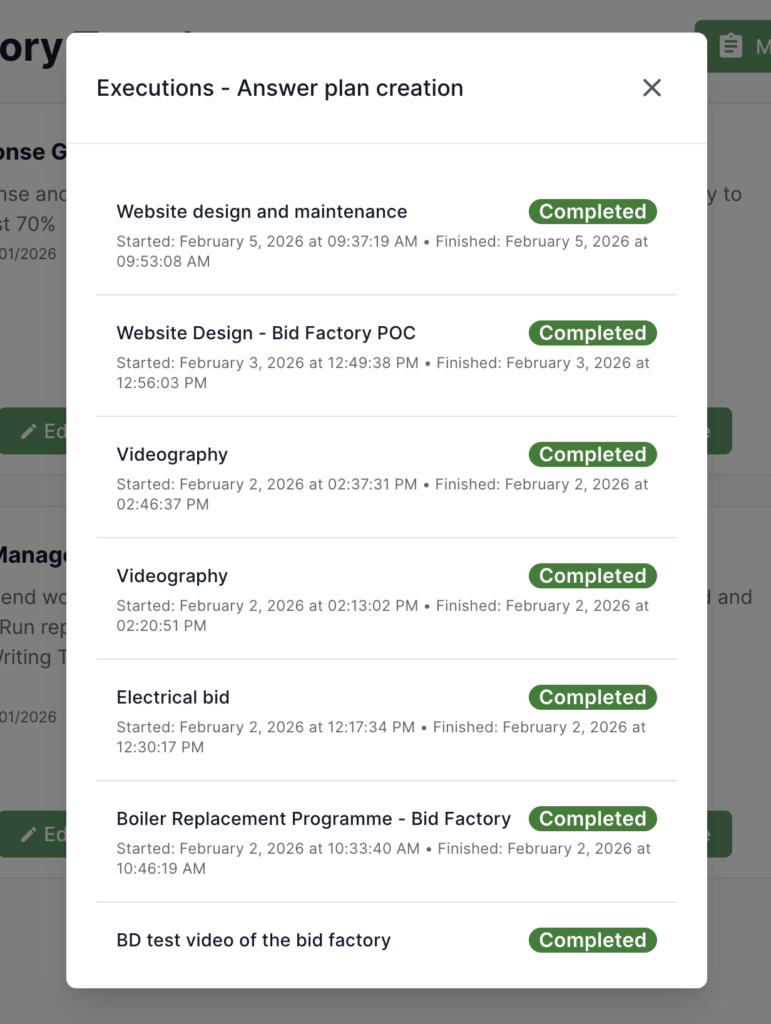
Bid Factory Execution
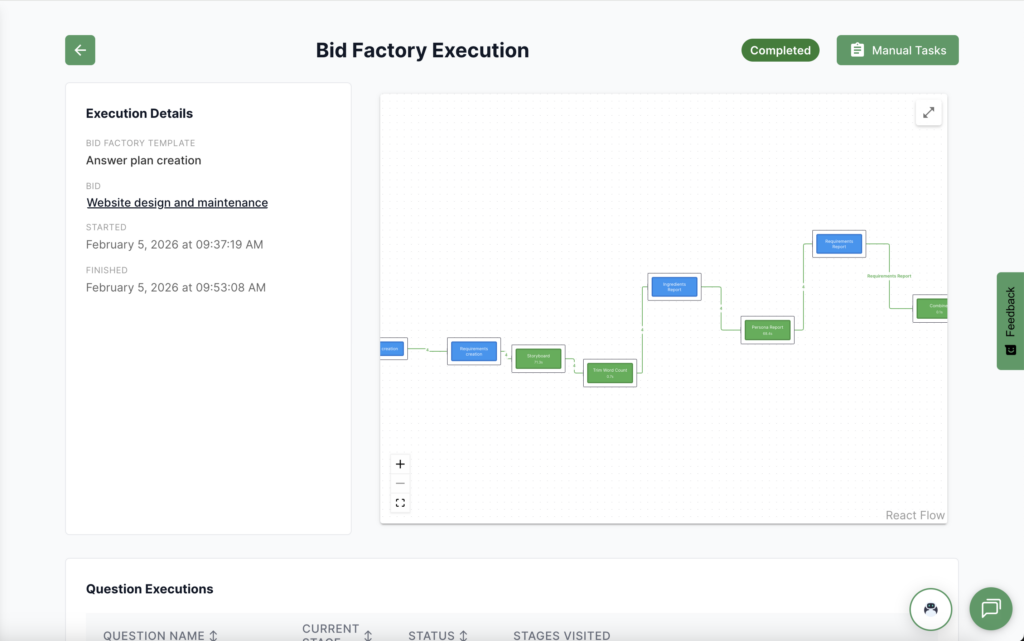
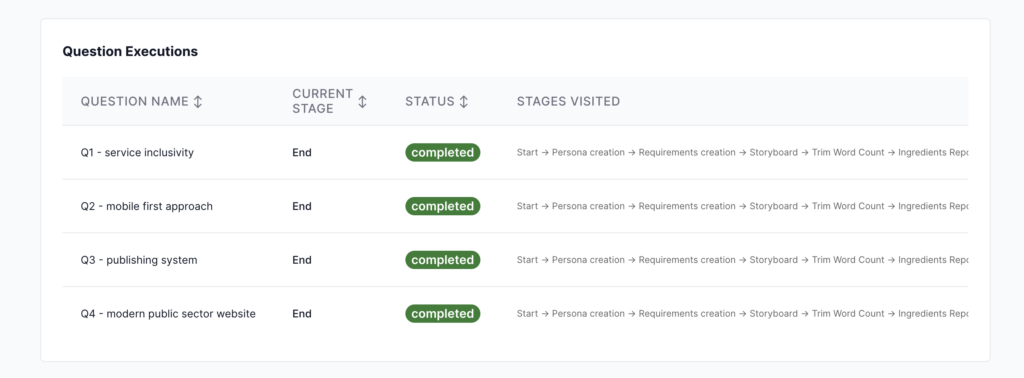
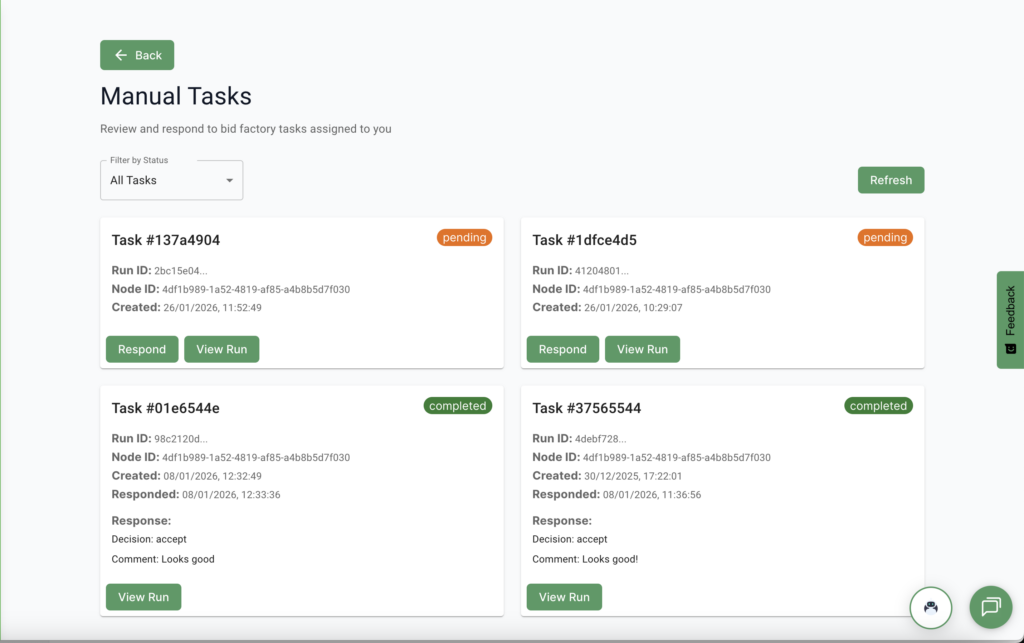
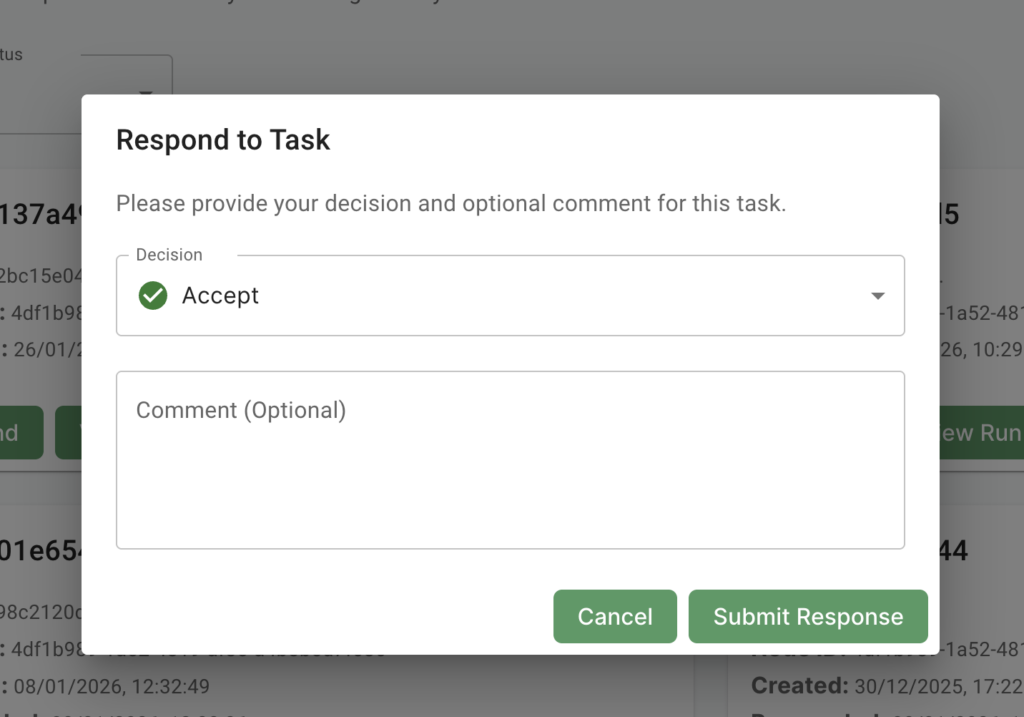
Manual Tasks