Tender Finder
Tender Finder
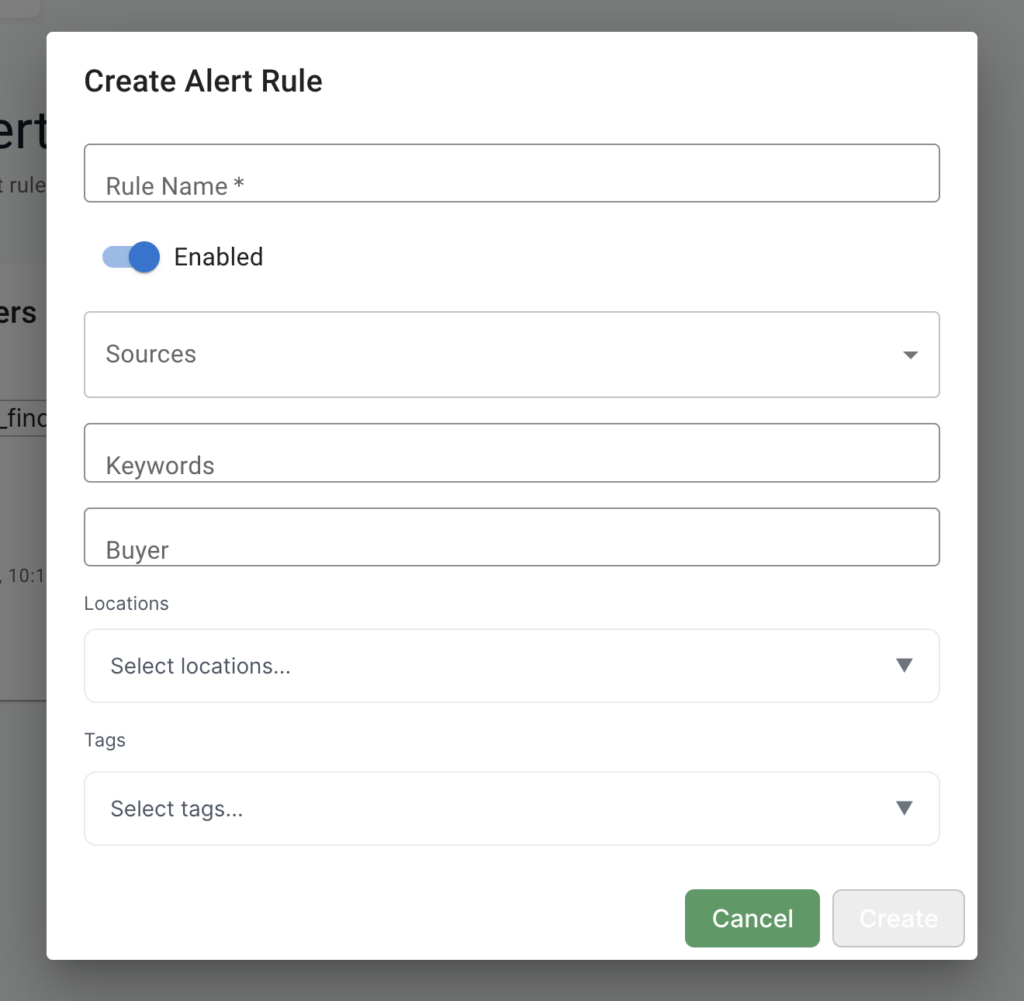
Tender Finder allows companies to find public-sector contracts suitable for them on the BidBot platform.
How it works
Tender Finder is a new page accessible via the sidebar. Here, the customer can filter tenders by amount, date, location, tags, notice types, and notice statuses to find the tenders they want to go for. Customers can save these tenders to come back to them later. We currently collect tenders from two places Contracts Finder and Find a Tender. We collect information on the tenders spanning back the last 25 years. With new tenders being added every day.
View Saved Tenders
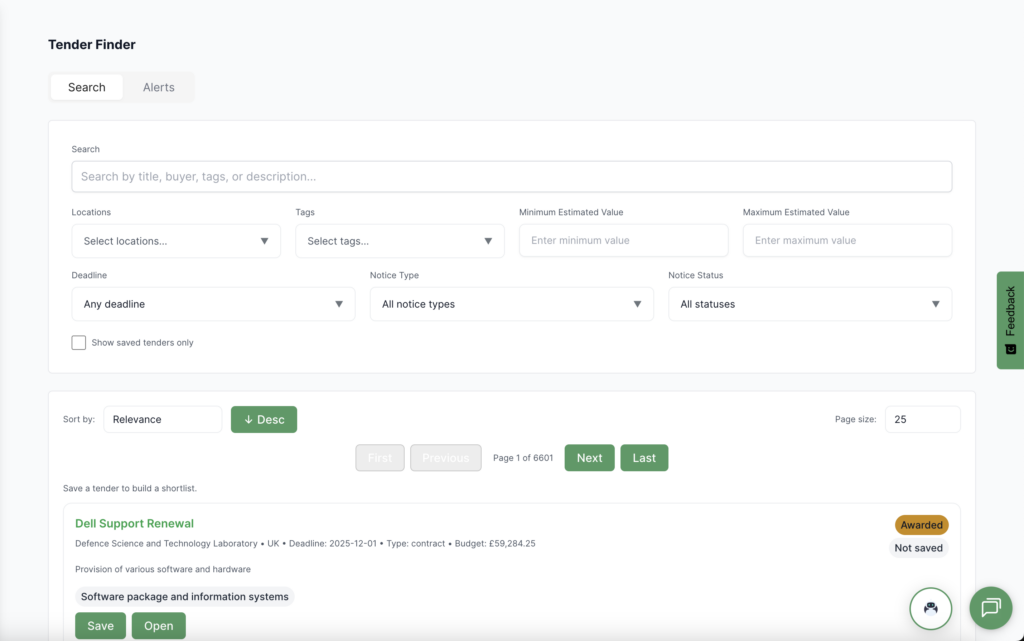
Once you have found tenders you are interested in, you can click on the tender’s “Save” button to save it for a later date. To view all saved tender click on the “Show saved tenders only” checkmark. To view the tender at source, you can click on the tender’s “Open” button to open it from where the tender comes from.
Tender Alerts
How to create an alert
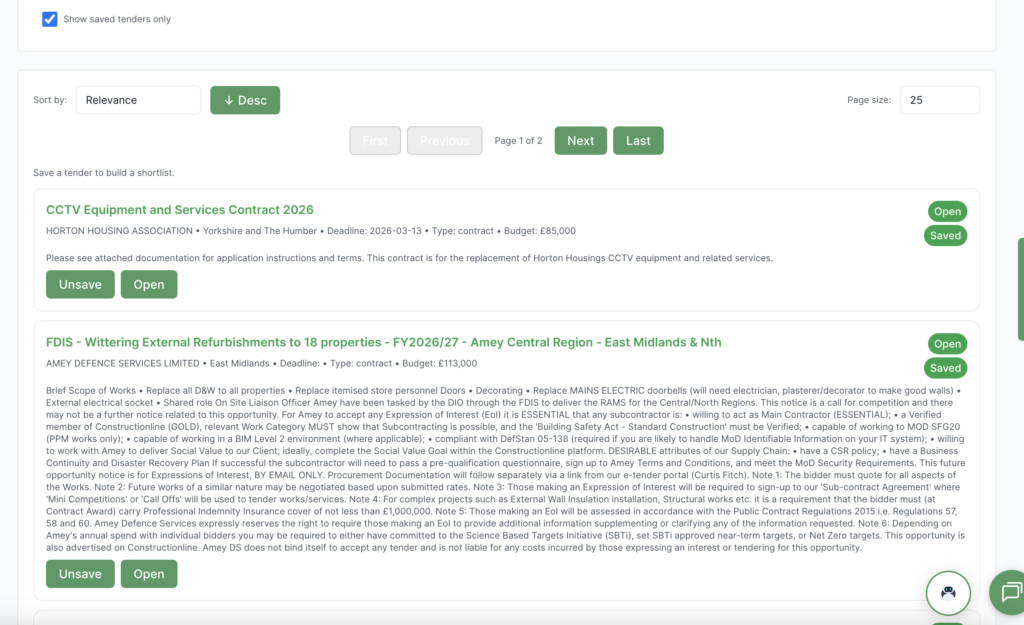
You can also configure tender alerts to notify you of any new tenders that have come out today. To do this, click on the “Alerts” tab at the top of the pag,e then click on the “Create Alert Rule” button to open up the alert configuration pop-up.
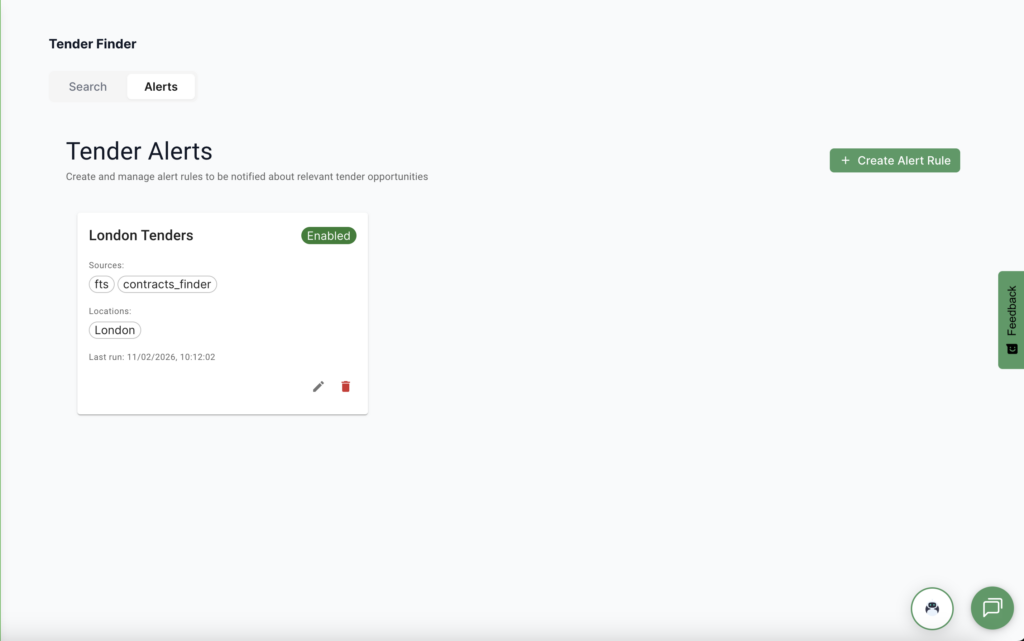
Here you configure the types of tenders you want to be alerted about. Firstly, create a suitable alert rule name for the tenders you want to find so you can easily identify it if you create more in the future. Then, you can decide which sources you want to get your tenders from as well the criteria to filter the tenders: keywords, buyer, locations, and tags. Once you have configured your alert press on the “Create” button. Your alert has now been created. Every morning BidBot will now find tenders that match the criteria you have specified and email them to you. To delete alerts click on the trashbin icon on the tender alerts page. To further customise or change you alert click on the pencil icon on the tender alerts page.