
Setting Question Importance
Overview
Question Weightings determine the importance of each question in your bid. Unlike Report Weightings (which control how different report types contribute to scoring), Question Weightings determine how much each question contributes to your overall bid score. This guide explains what question weightings are, how to set them, and why they matter.
Prerequisites
- Bid Bot account
- Access to a bid with questions
- Understanding of bid structure
What Are Question Weightings
Overview
Question Weightings are:
- Per-question importance within the bid
- Decimal format: 0 to 1 (e.g., 0.25 = 25%)
- Must sum to 1.0
- Bid-level setting
- Used to calculate weighted overall scores
Purpose
Help you reflect on RFP priorities, calculate accurate overall scores, focus efforts, plan strategically, and align with evaluation
Difference from Report Weightings
Question Weightings: Importance of each question (bid-level)
Report Weightings: How report types contribute to each question’s score (question-level)
Example:
- Question 1: 0.40 (40% of bid)
- Question 2: 0.30 (30% of bid)
- Question 3: 0.30 (30% of bid)
- Total: 1.0 (100%)
Then, Report Weightings determine how Ingredients, Requirements, Personas, and Marking Scheme contribute to each question’s score.
How to Set Question Weightings
When Creating a Bid (Manual Entry)
- Go to Bid Analysis → Manual tab
- Add your bid questions
- For each question, find the Question Weighting field
- Enter a decimal value (e.g., 0.25 for 25%)
- Ensure all sum to 1.0 (validated automatically)
When Editing a Bid
- Go to Bid Library → Select bid
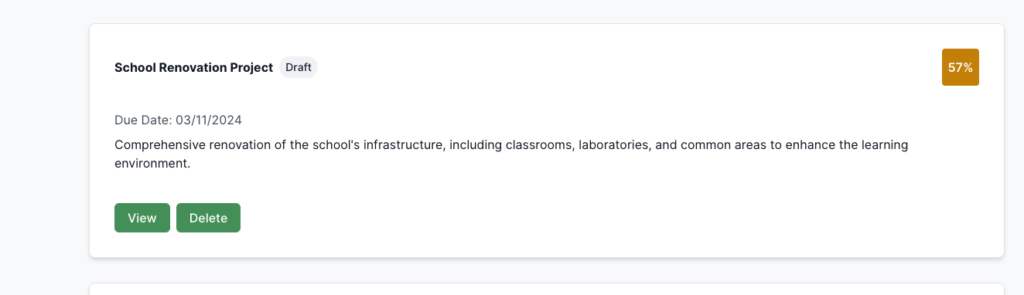
- Click Edit

- Find the Question Weightings section
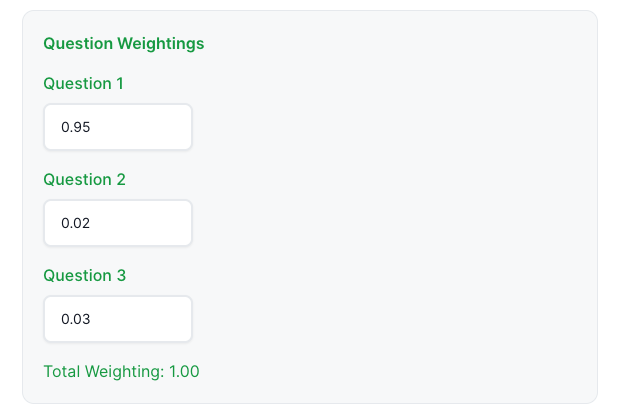
- Adjust for each question (0-1)
- Total must equal 1.0
- Click Save
Weighting Format
- Decimal: Enter as 0-1 (e.g., 0.25 = 25%, 0.40 = 40%, 0.10 = 10%, 1.0 = 100% if one question)
- Validation: Validates sum equals 1.0, can’t save if not, error shown if fails
Understanding Weightings
How Weightings Work
Score Calculation:
Overall Score = (Q1 Score × Q1 Weighting) + (Q2 Score × Q2 Weighting) + ...Example:
- Question 1: 80%, 0.40 → 32%
- Question 2: 90%, 0.30 → 27%
- Question 3: 70%, 0.30 → 21%
- Overall: 80%
Impact:
- High: more impact, more attention/effort, small improvements = larger impact, worth more time
- Low: less impact, proportionally less effort, smaller impact, lower priority
Setting Appropriate Weightings
- Matching RFP: Use exact from RFP if provided, verify sum, round appropriately, document source
- Estimating: Assess relative importance, consider word counts, review RFP instructions, default to equal if unclear, adjust as needed
- What should we use for bid weightings: the quality component of the bid
- What should not be used for the bid weightings: pricing or different lots from the one you are analysing
Troubleshooting
- Don’t Sum to 1.0: Check all questions, verify each value, calculate manually, adjust until the sum equals 1.0, use a calculator
- Can’t Set: Check permissions, save other changes first, refresh, check validation, contact support
- Not Reflecting: Regenerate reports, verify saved, check calculation, refresh, clear cache
- Understanding Impact: Calculate manually, review examples, test changes, check reports, and consult documentation.